Home / PrintMaster 2027 / PrintMaster 2027 Professional
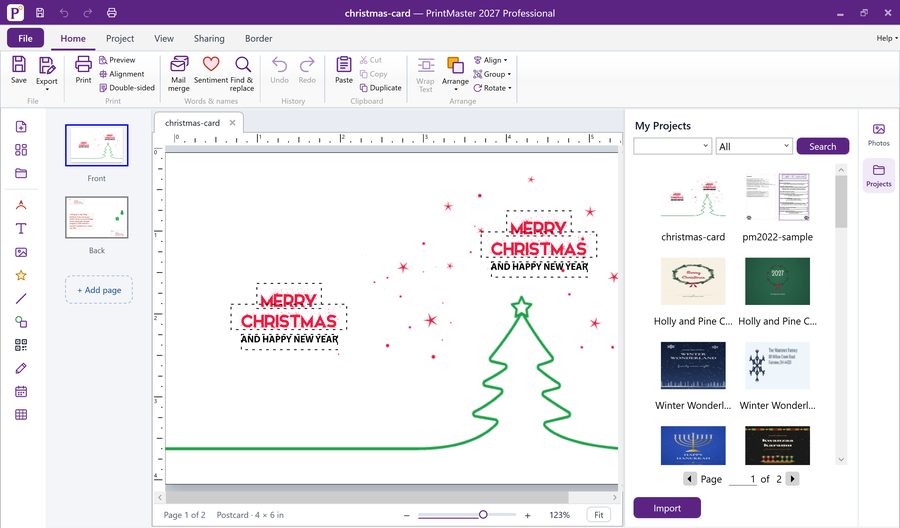
PrintMaster 2027 ProfessionalReady-made projects in PrintMaster 2027A holiday card in the editorAddress labelsA 2027 calendarA PrintMaster v8 project opened
PrintMaster 2027 Professional
PrintMaster 2027

PrintMaster 2027 Professional

$99.99one-time purchase · instant download
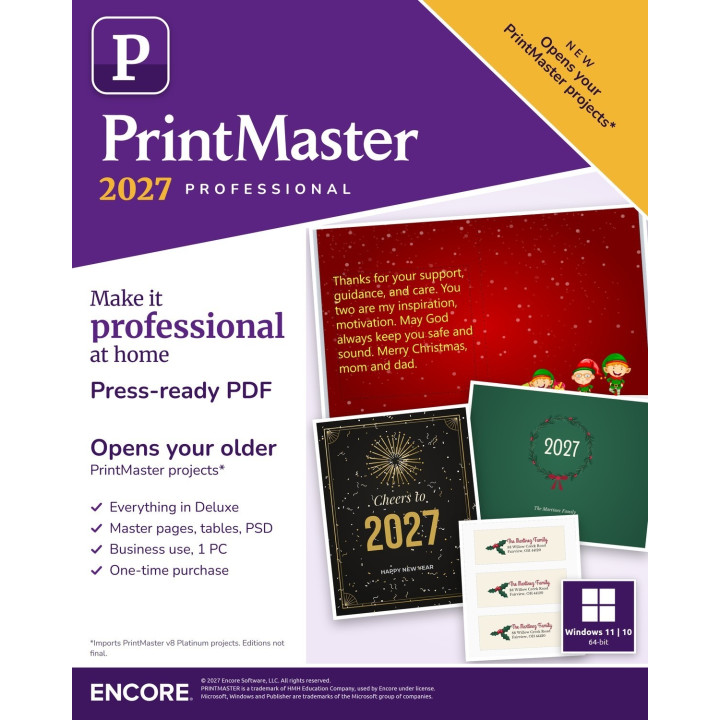
Everything in Deluxe, plus press-ready PDF and business use. One PC.
Delivered by email. Your key or download link arrives as soon as payment clears. Download help
  • Secure checkout Encrypted payment, processed by Braintree, a PayPal company. We never see your card number.
  • Instant download Your product key and download link arrive by email, usually within minutes.
  • US-based support By phone and email, Monday to Friday.
  • Visa, Mastercard, Maestro, JCB, Discover, American Express, Diners Club and UnionPay accepted

What you get

Everything in Deluxe, plus press-ready PDF and business use. One PC.

PrintMaster 2027 Professional
Everything in Deluxe
Press-ready PDF
Photo touch-up tools and crop
Master pages, tables and PSD import
Business use, licence for 1 PC
Instant download, activation key sent by email
Made for Windows 11 and 10

Details

SKU55771
DeliveryInstant download link and licence key by email
LicenceRead the licence
RefundsRefund policy

Add content packs

Holiday and everyday collections open in PrintMaster 2027 in one click.

Browse content packs

Create, design and print projects in minutes

Plan, create and share custom designs, whether you are capturing a memory or adding a splash of creativity to your life: greeting cards, invitations and party supplies, banners and newsletters.

Which tools you get depends on the edition: Compare editions lists them side by side, and that chart is the one to trust.

Compare editions

Tools in PrintMaster 2027

A quick tour of the newer tools

The Projects panel in PrintMaster 2027
Newer tools

What's new, in a short tour

  • Create custom borders
  • Line arrowheads
  • Line patterns
  • Change a shape's outline
  • Autosave
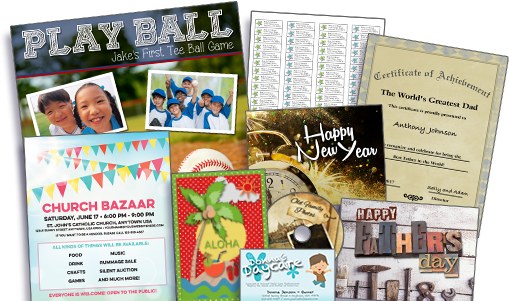
A collage of ready-made PrintMaster projects: flyers, cards, certificates and calendars
Templates

Ready-made templates by professional designers

Many of them royalty-free for commercial use with the Professional edition. Pick one, change the words and photos, print.
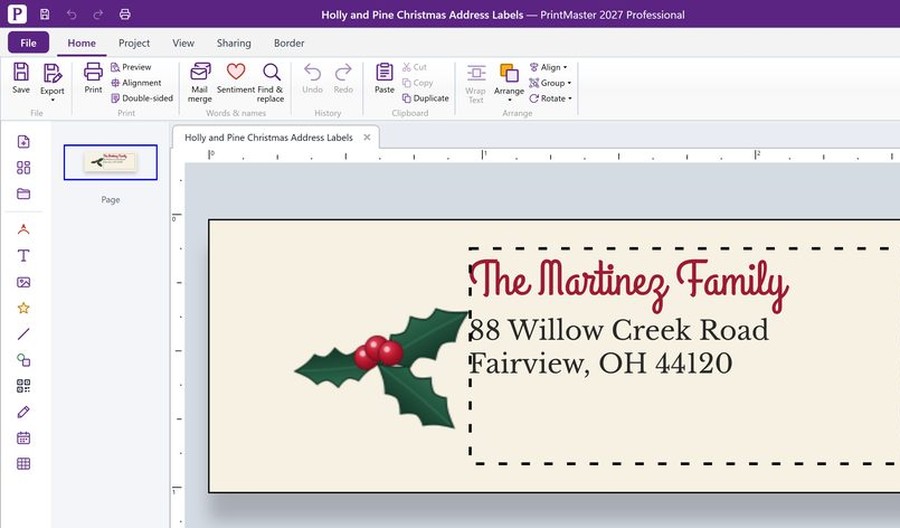
Address label templates in PrintMaster 2027
Label and card sheets

Popular Avery® label sizes, ready-made and blank

  • Name badges
  • Shipping labels

Avery® is a trademark of Avery Products Corporation, named here only to say which sheets the templates fit.
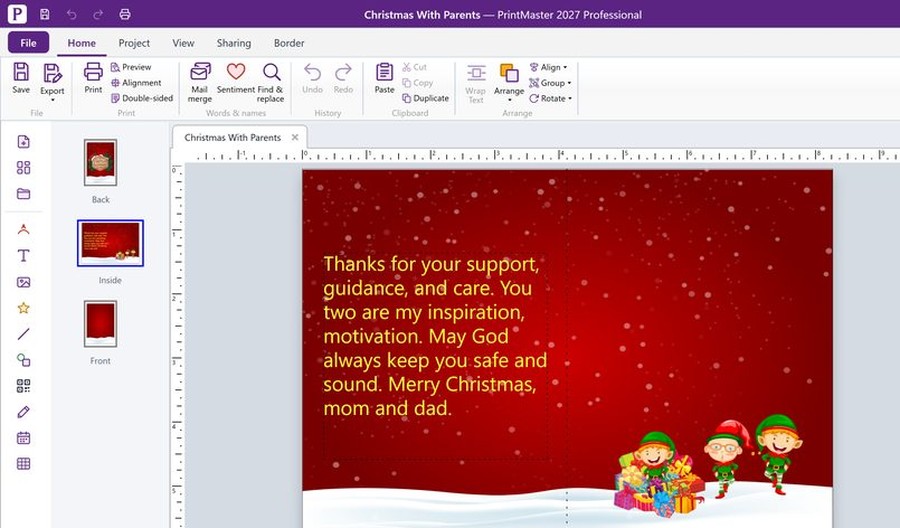
The PrintMaster 2027 editor
Design tools

Easy-to-use design tools

Drag and drop photos, and manipulate text and design elements with ease. Rulers and guides help you line things up.
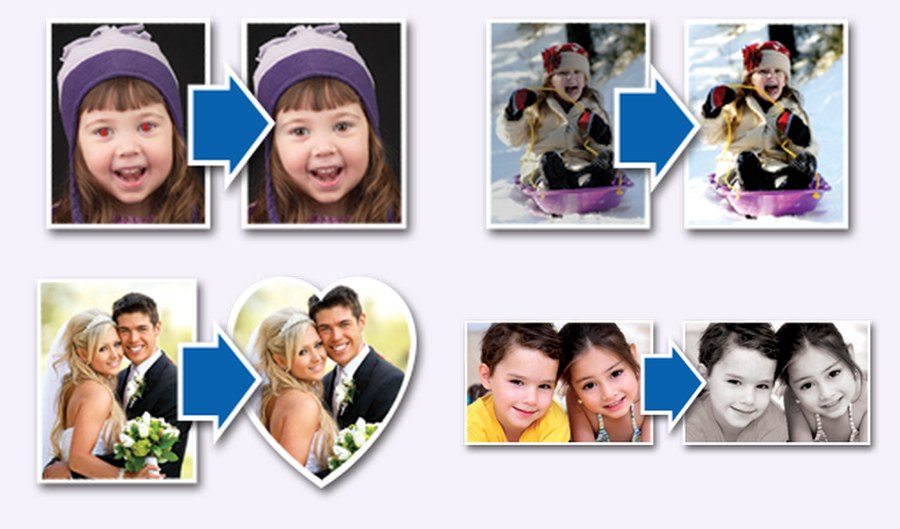
Before and after: red-eye fix, brightening, heart crop and black and white
Photos

One-click photo editing

Edit photos, add text and create stunning artistic effects (Professional).

  • Red-eye removal
  • Brighten an image (brightness and contrast, both editions)
  • Convert to black and white (Professional)
  • Sepia (Professional)
  • Blue (Professional)

Royalty-free images; commercial use needs the Professional edition licence.
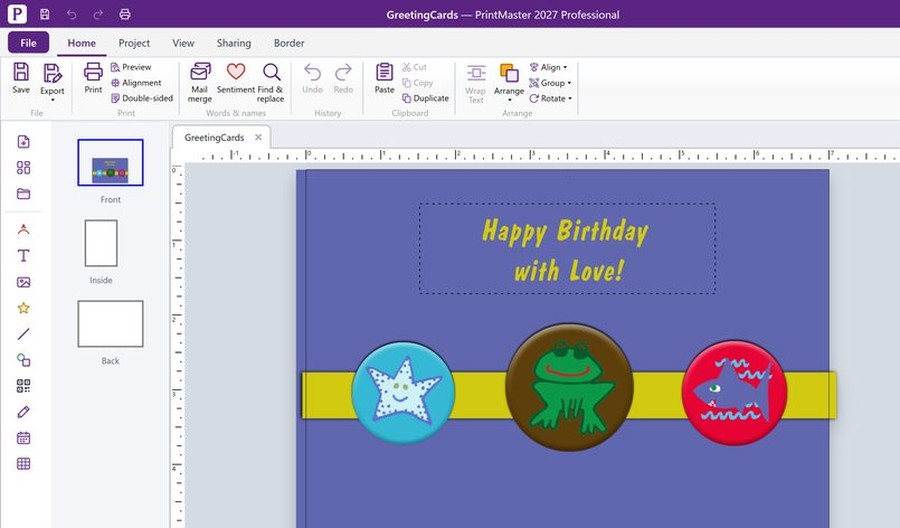
A PrintMaster v8 project opened in PrintMaster 2027
Your older projects

Opens your PrintMaster v8 Platinum projects

The built-in importer brings PrintMaster v8 Platinum projects into PrintMaster 2027.

Opens many Publisher files as editable projects; some files may not open, and some formatting may be approximated (an import report lists what).

Microsoft, Windows and Publisher are trademarks of the Microsoft group of companies.
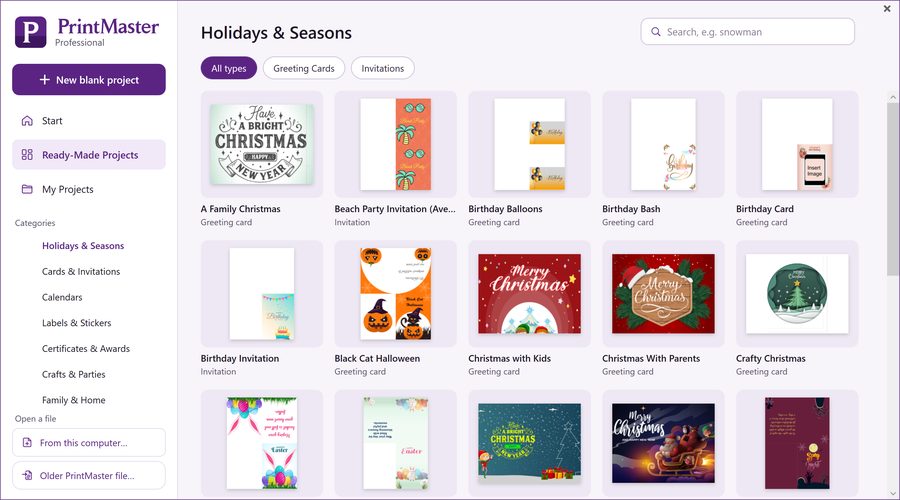
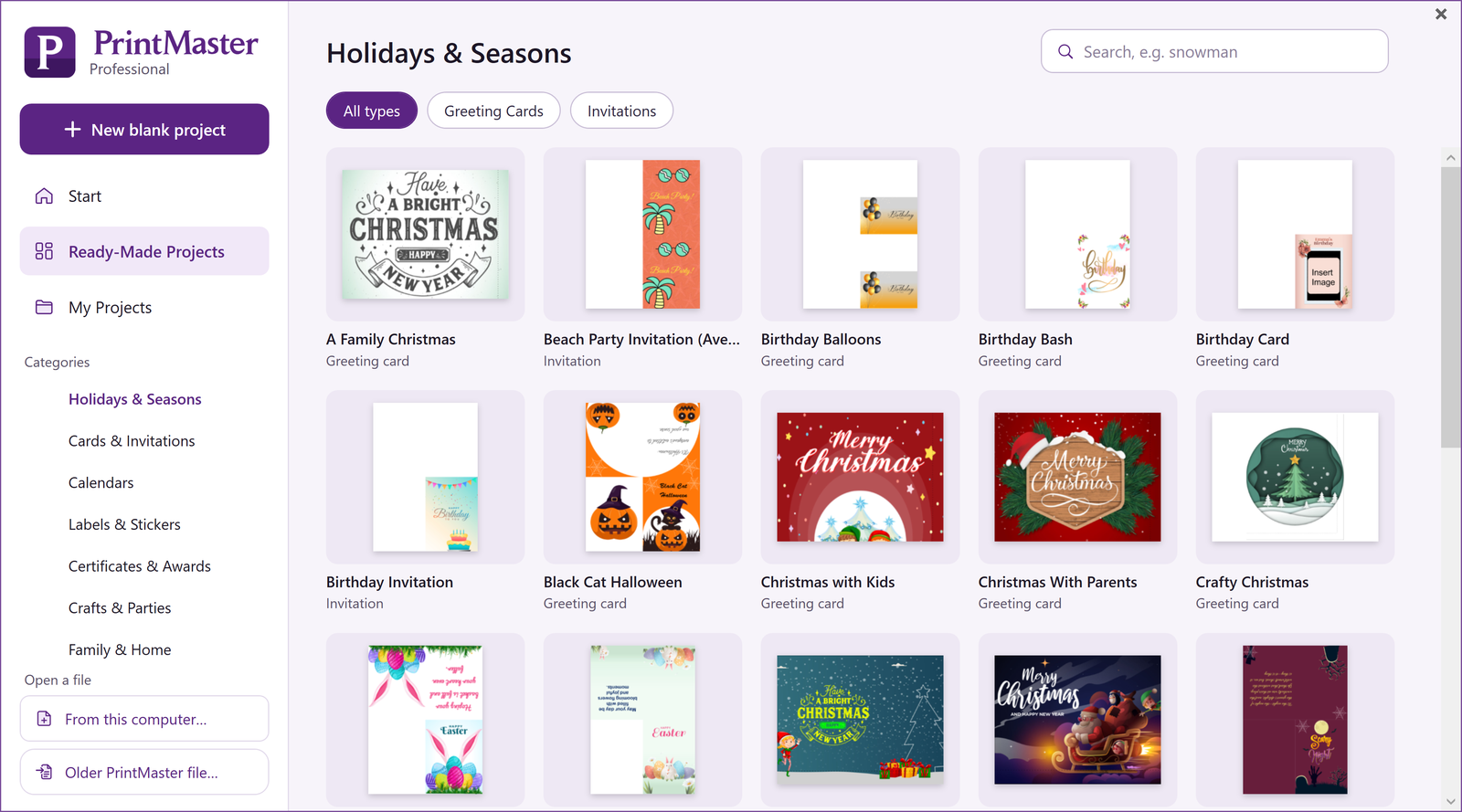
The new PrintMaster 2027 Ready-Made browser, with categories and a Start, Ready-Made Projects and My Projects menu
New look

A fresh, modern workspace

Browse Ready-Made projects by category, then work in a clean ribbon with your tools down the left and your photos and projects on the right.

  • Ready-Made Projects
  • Ribbon
  • Photos and Projects panels
Holiday cards in PrintMaster 2027: Merry Christmas, Warm Wishes and Happy Hanukkah
Holiday designs

Six holiday themes for 2026-27

Christmas, winter, Hanukkah, Thanksgiving, New Year and Kwanzaa, ready to personalise.

Professional adds

Press-ready PDF

For taking your project to a print shop.

Master pages and tables

Repeat a layout on every page and insert tables.

PSD import

Bring layered Photoshop files into your project.

Business use

Use it for your own flyers, signs, labels and cards.

More photo tools

Freehand crop, auto-correct, effects and filters.

See it in action

Real screens from PrintMaster 2027. The numbered outlines show what each part does.

Bring your old projects across

Pick a folder of PrintMaster v8 Platinum projects. PrintMaster finds them, shows a preview of each and opens the ones you choose.

  1. 1
    Finds your projectsIt reports how many projects are in the folder.
  2. 2
    Preview and pickSelect one or more projects, then choose Open.
  3. 3
    Open, or choose another folderOpen the selection, or point at a different folder.
Bring your old projects across123

Your v8 project, opened

A PrintMaster v8 greeting card opened in PrintMaster 2027 with its pages, text and pictures intact.

  1. 1
    RibbonSave, export, print, mail merge, find and replace, clipboard and arrange.
  2. 2
    Insert toolsText, photos, clip art, lines, shapes, QR codes, calendars and tables.
  3. 3
    PagesFront, inside and back of the card.
  4. 4
    Your projectClick the text to change it.
Your v8 project, opened1234

Your photos and projects, beside the page

Two buttons on the right open your photos and your projects in a panel next to the page you are editing.

  1. 1
    Photos and ProjectsPhotos and Projects open from the right edge; here the Projects panel is open.
  2. 2
    My ProjectsYour projects in a panel beside the page, with a search box, an All drop-down and a Search button.
  3. 3
    Project tilesEach project shows as a tile with its name.
  4. 4
    Pages of projectsMove between pages of projects.
  5. 5
    ImportThe Import button sits at the bottom of the panel.
Your photos and projects, beside the page12345

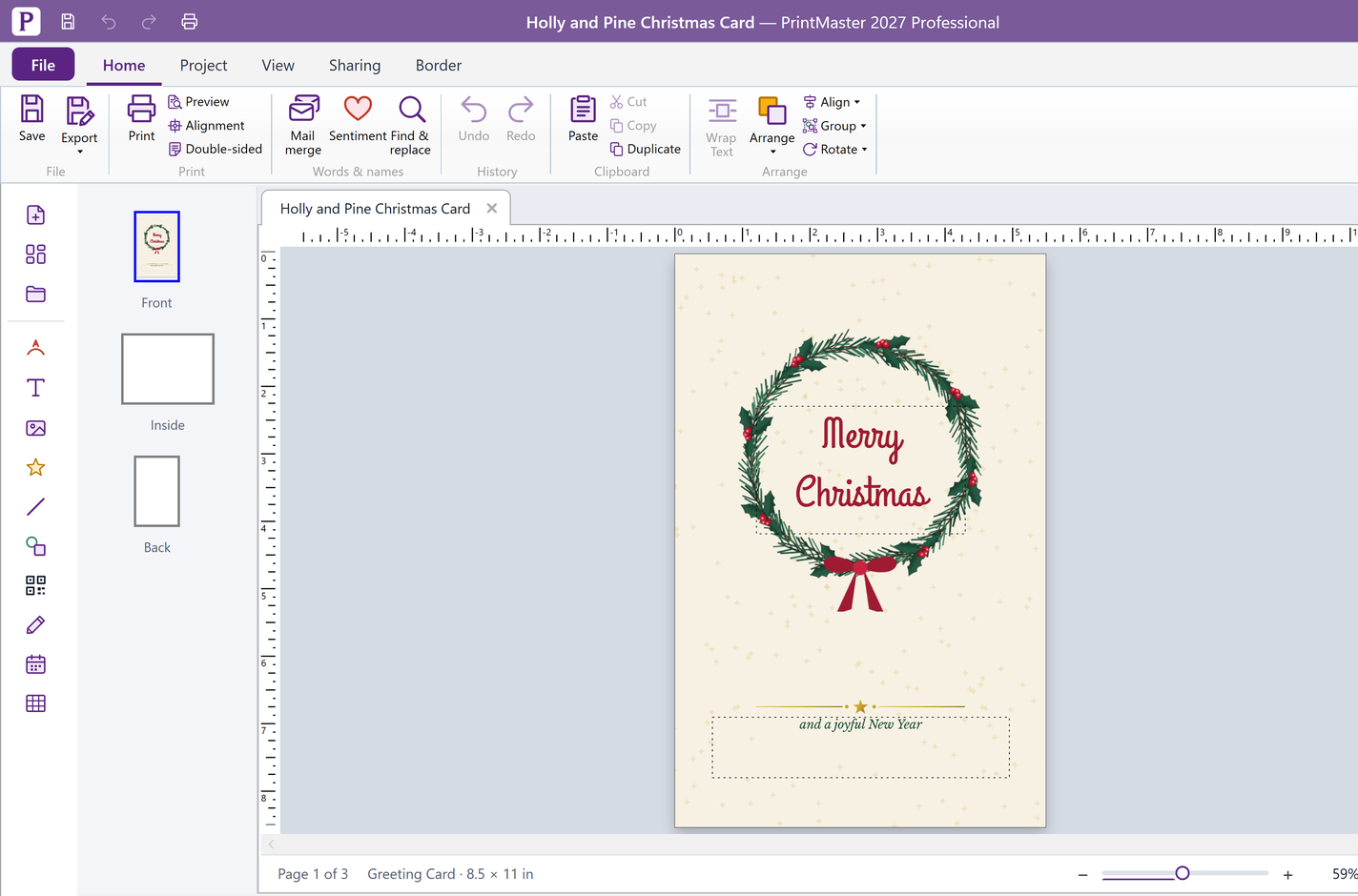
A cleaner workspace for greeting cards

The ribbon, the tool rail and a page for each side of the card sit where you expect them, so a greeting card comes together quickly.

  1. 1
    Save, print, exportThe Home ribbon: save, export, print with a preview, alignment and double-sided printing.
  2. 2
    Mail mergeMail merge is on the ribbon, for addresses on labels and cards.
  3. 3
    Start and insertStart a new project, browse templates or open one, then add a headline, text box, photos, clip art, lines, shapes, a QR code, paint or a calendar.
  4. 4
    PagesA greeting card has a front, an inside and a back.
  5. 5
    Your cardA family Christmas card from the ready-made templates. Click the text to change it.
  6. 6
    Photos and ProjectsOpen your photos and your projects from the right edge, beside the page.
A cleaner workspace for greeting cards123456

Compare editions

Deluxe$59.99Professional$99.99
Family templates: cards, calendars and crafts
Six holiday themes, new for 2026-27
Popular Avery label sizes
Opens your PrintMaster v8 Platinum projects
Sharp on 4K screens
Photo touch-up: blemishes, wrinkles, red eye, teeth and crop
Press-ready PDF–
Freehand crop, auto-correct, effects and filters–
Master pages and tables–
Import Photoshop PSD files–
Business use–
View DeluxeView Professional

File formats

What you can open and what you can save.

OpenDeluxeProfessional
PrintMaster 2027 projects
PrintMaster v8 Platinum projects
Pictures: JPEG, PNG, GIF, BMP and SVG
Photoshop files (.psd)–
Save and shareDeluxeProfessional
Print, and export to share
Press-ready PDF–

Watch it work

Make a holiday card in a minute 22 s
The 2026-27 holiday collection 31 s
Bring your PrintMaster 8 projects across 29 s

Questions

What do I need to run it?

Windows 11 or Windows 10, 64-bit. An internet connection is needed to activate.

Will my PrintMaster projects open?

PrintMaster v8 Platinum projects import into PrintMaster 2027. Other versions are not covered.

Who can buy the upgrade?

Owners of PrintMaster 2022, 10, 9 or 8 Platinum.

Is it a subscription?

No. It is a one-time purchase and the download link and activation key arrive by email.

What is the difference between Deluxe and Professional?

Professional adds press-ready PDF, master pages and tables, Photoshop import and business use.

Loading...
Back to top